
Why fleets hit the same wall
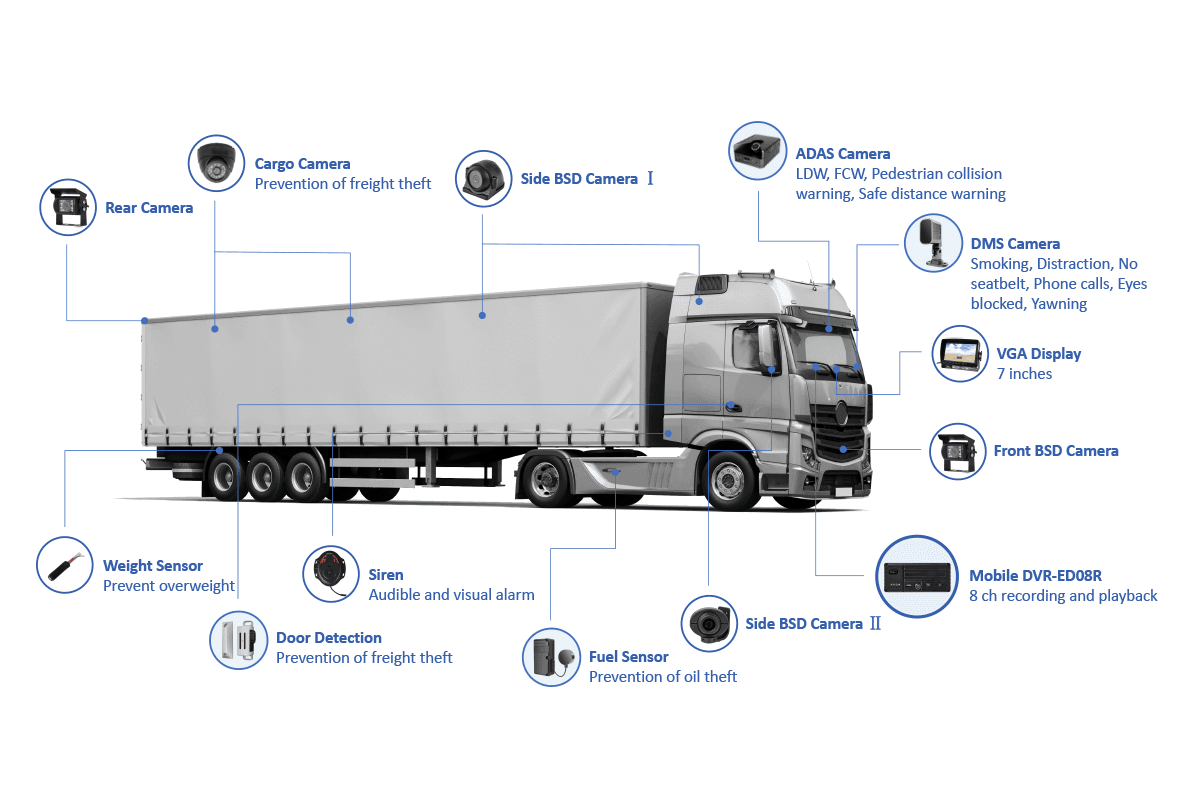
Problems pile up fast: missed pickups, disputed incidents, wasted driver hours, and trucks that sit for repairs. You fix one thing and another pops up. A lot of that comes down to poor vision and slow data — not uncommon with older camera setups. That’s where something like an AI MDVR actually helps: it filters the noise, points at the real problem, and gives crews useful footage without drowning dispatch in clips.
Common failure modes that’ll cost you time and money
– Blindspots that leave liability gaps. – Cameras or recorders that fail under heat, vibration, or power surges. – Recordings that are unusable because of poor angle, glare, or wrong frame rate. – Confusing file formats and nightmarish retrieval processes. Fix those and you stop wasting hours chasing evidence and replaceable guesswork with facts.
What to look for in an mdvr camera
Pick hardware that works on the road, not just on paper. Look for clear specs on low-light performance, shock/vibration rating, and onboard AI features that tag events. Make sure the unit supports over-the-air updates and has a reliable mechanism for time-syncing GPS and video. A decent mdvr camera should let you pull a ten-minute incident clip fast, and it should survive salt air if your trucks hit coastal routes.
Installation and wiring mistakes crews keep making
Bad installs ruin good tech. Common slip-ups: tapping into the wrong power feed, leaving ground wires loose, mounting cameras where the sun glares straight into the lens, and relying on zip ties instead of proper clamps. Fix the mount, protect the power, and route cables away from heat and sharp edges. If you can’t trust the install, you can’t trust the evidence.
Data handling that actually follows rules and keeps drivers calm
Drivers worry about privacy; compliance teams worry about retention. Sort both at the start: define a retention window, document who can access footage, and encrypt stored files. Keep user access logs. Train dispatch to only pull footage for clear reasons. That cuts back on internal fights and keeps regulators from knocking on the door. Field teams at the Port of Los Angeles see this every day — footage that’s well-handled avoids costly disputes.
Daily ops: simple routines that save hours
– Do a five-minute equipment check at shift start: lens, mounts, recorder lights. – Name incidents immediately with timestamps and brief notes. – Automate routine uploads overnight on cellular or Wi‑Fi to avoid manual downloads. – Schedule firmware checks weekly. Small habits stop big headaches.
How AI features solve repeat issues — and where they don’t
AI event tagging separates fender-benders from lane changes and hard brakes, so dispatch sees what matters. It reduces human review time. But AI isn’t foolproof: weather and obstructions still cause false positives. Treat AI as a force multiplier, not a replacement for plain footage and solid wiring.
Quick checklist before you commit to hardware
– Verify real-world rugged ratings, not just marketing claims. – Confirm the vendor supports field firmware updates. – Ask for sample clips from similar routes. – Check upload and storage costs for your fleet size. Do this and you avoid vendor regret after a problem happens.
Putting it together — what works for busy fleets
You want gear that stays on, footage you can use, and a process crews follow without rolling their eyes. Focus on rugged installs, clear data rules, and AI that reduces review time. For practical deployments and long-haul reliability, field techs I trust often point to components from BSJ because they hold up and make daily work less fiddly. Fix the basics first, then let the tech do the rest.