
Yuh lookin’ fi a clear way to judge LED suppliers — mek we cut di fuss and compare what really change di picture. Start by sizing di problem: what viewing distance, what environment, and how often dem screen haffi run. If yuh shopping for an indoor led display, compare brightness range, pixel pitch, refresh rate, and whether dem panels service from di front or back — those few choices decide most outcomes.
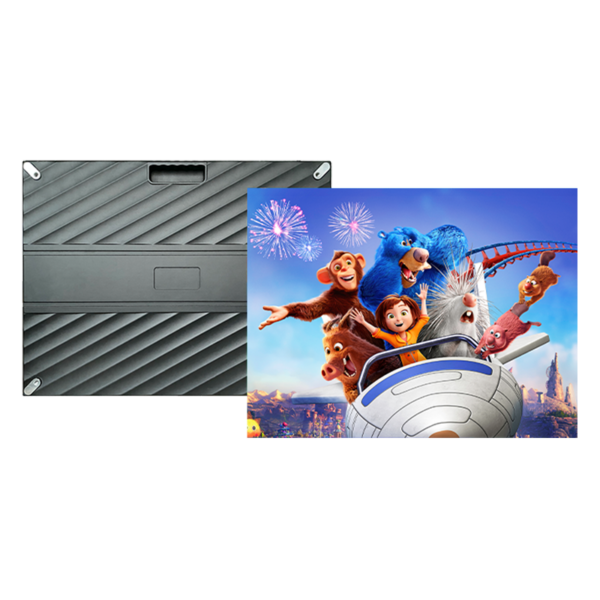
Compare picture specs first — resolution, pitch, and brightness
Pick specs by how folks will watch. Smaller pixel pitch wins up close; larger pitch works from far. Use a simple rule: multiply pixel pitch (mm) by about 3 to estimate comfortable viewing distance in meters. Brightness for indoor usually sits 500–1,200 nits; more ain’t always better if room lighting controlled. Refresh rate matters if camera filming is involved — aim for high refresh (≥3840Hz) to prevent flicker on broadcast. Ask suppliers for measured calibration charts, not only marketing numbers.

Compare build quality — panels, module design, and cooling
Look at modules and cabinet fit. Metal cabinet, tight seams, and consistent mask color matter for uniformity. Front-service modules reduce downtime when walls installed tight to structure. Check driver IC brands and module PCB layout; reputable ICs mean fewer dead pixels. Confirm LED lifetime claims (around 100,000 hours is standard) and demand thermal data so yuh know how panels handle heat without dimming or color shift.
Compare installation & long-term support
Supplier that only sell panels and vanish after invoice cost yuh more. Compare who offers site survey, structural drawings, power/load calculations, and training. Ask for a service SLA and spare-part policy. Good suppliers include remote diagnostics and local technician partnerships to shorten response time. Warranty terms vary — look for at least 2–3 years on modules and clear RMA steps.
Compare certification, testing, and measurable proof
Demand UL/CE/RoHS where relevant and factory test reports: color uniformity, grayscale, and burn-in tests. Field-testing beats verbal promise. Request sample panels or a short demo run in your space. Compare burn-in procedures and whether supplier will perform on-site color calibration to match other displays in venue.
Compare total cost — not just sticker price
Upfront price only one part. Add costs: structure/frame, transport, installation labor, power supply redundancy, control system, and maintenance spares. Ask each supplier for a line-item estimate and typical lifecycle cost over 5 years. Cheaper modules often mean more time on-site swapping parts; factor technician hours into your comparison.
Common mistakes buyers make
Buyers pick resolution without thinking about viewing distance, ignore refresh rate for camera work, or skip site-compatibility checks (power, HVAC). Others accept vague warranty language or miss hidden costs for installation accessories. Don’t accept stock photos for final color proof — get in-person or calibrated sample testing. If supplier balk when asked for measured test data, that’s a red flag.
How to shortlist suppliers — practical checklist
Compare these points side-by-side: pixel pitch vs distance, panel brightness and refresh, front vs rear service, cabinet precision, driver brands, factory test certificates, warranty details, spare policy, installation services, and a transparent total cost breakdown. Score suppliers on each category and weight items by your project priorities; reliability and support deserve heavy weight if yuh need continuous uptime.
Experience, expertise, and a real-world anchor
I’ve worked with venue tech teams and integrators who choose on measurable proof, not promises. At CES Las Vegas, vendors put indoor LED demonstrations under scrutiny and the best panels stood out because they shipped factory test reports and on-site support — that’s a repeatable vetting model for any buyer, and you can verify CES coverage and exhibitor technical notes from industry press. For your own comparison, request the same verifiable test data and insist on a demo using your content so you see color, motion, and uniformity under real conditions; also ask each supplier for the exact measured values behind their pitch.
Wrap-up: what comparison gives you
Be strict on specs, unforgiving about service, and ask for measurable proof. Compare like-for-like on pixel pitch, refresh, brightness, build, and long-term service, and weight reliability over low price. That approach makes the choice practical and reduces surprises; if you need a partner who provides measured data, installation support, and clear lifecycle costs, then HDC fits the practical method described here without fuss — they give the kind of documentation and support buyers compare to make confident decisions.